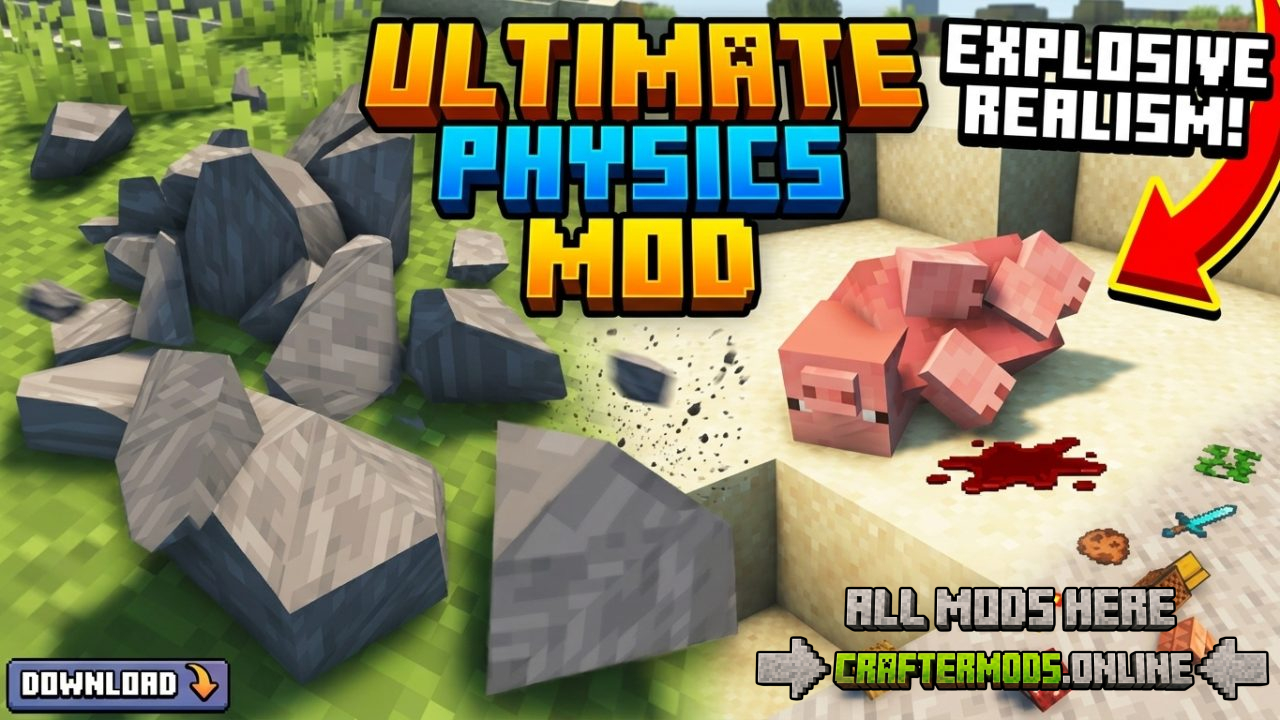
Physics Mod rebuilds the way Minecraft’s world reacts to force, gravity, and destruction. Instead of blocks vanishing instantly and mobs falling over like cardboard cutouts, everything responds the way you’d expect from a real physics engine: caves collapse in cascading chunks of debris, mobs crumple into full ragdoll animations, dropped items tumble and bounce instead of floating in place, and even gravity itself becomes something you can rewrite. It’s one of the most visually transformative mods available for Minecraft, turning ordinary gameplay moments — mining, combat, exploration — into small physics showcases.
Whether you’re a builder who wants dramatic structural collapses, a combat player who wants satisfying ragdoll knockbacks, or just someone who enjoys pushing their PC to its limits with chain-reaction destruction, Physics Mod adds a layer of simulation depth that vanilla Minecraft was never designed to have.
Important: Updates Are Website-Only
New versions of this mod are released exclusively through the official website. Third-party mirrors may host outdated or unofficial builds, so always download updates from the official source to ensure you’re getting a safe, current version of the mod.
A New Immersive Experience
Physics Mod is designed to make the Minecraft world feel tangible. Caves don’t just disappear when mined — they collapse dynamically, sending fractured stone tumbling down tunnels. Mobs don’t freeze in a static death pose — they ragdoll, reacting to knockback, explosions, and terrain the way a physics-driven character would. Combine that with fully simulated item physics, and the entire game world starts to feel like it has real weight and momentum behind every interaction.
Supported Platforms
| Platform | Support Details |
|---|---|
| Windows | Fully supported out of the box. |
| Linux | Fully supported out of the box. |
| macOS (Intel) | Requires compatibility mode to run correctly. |
| macOS (Apple Silicon M1/M2) | Runs natively on Minecraft 1.20 and above; earlier Minecraft versions require compatibility mode. |
Mac users on M1/M2 chips running Minecraft versions older than 1.20 will need to enable compatibility mode to launch the mod correctly. A full setup walkthrough is available in the official compatibility mode tutorial.
Mob Physics — Ragdolls, Fractures & Blocky Forms
This is the feature most players install the mod for. Every vanilla Minecraft mob gains support for three distinct physics behaviors:
- Ragdoll physics — mobs collapse and react to force realistically on death or heavy knockback, instead of playing a fixed death animation.
- Fracturing — certain mobs can break apart into physical pieces under enough force, adding a layer of dramatic, destructible detail to combat.
- Blocky mode — an optional low-poly, voxel-style physics representation for mobs, useful for players who want the physics gameplay without the more detailed visual style.
Block Physics — Watch the World Crumble
Blocks in the Minecraft world are no longer static once this mod is installed. Structures can fracture and crumble into physical debris pieces instead of instantly popping into an item form. This applies to natural terrain and, depending on settings, to player-made builds — meaning a mined support pillar can genuinely bring an entire cave ceiling down around you. It’s a feature that rewards careful mining and punishes reckless tunneling in equal measure.
Item Physics — No More Floating Loot
Vanilla Minecraft items spin in place, floating a block above the ground with no interaction with terrain. Physics Mod replaces this entirely: dropped items now tumble, roll, and settle naturally based on the shape of the ground beneath them, reacting to slopes, stairs, and uneven terrain just like a physical object would.
Adjustable Gravity — Take Your World Off-Earth
One of the standout extras in this mod is full control over world gravity. Instead of being locked to Earth-like physics, you can switch the simulation to match other celestial bodies:
- Moon gravity — low gravity, dramatic floaty jumps and falls.
- Mars gravity — a middle ground between Earth and the Moon.
- Pluto gravity — extremely low gravity for exaggerated, slow-motion physics interactions.
- Earth gravity — the standard, realistic baseline.
- Custom gravity — set your own value for a fully personalized physics feel.
This makes the mod just as useful for themed builds and machinima-style content creation as it is for regular survival play.
Collapsing Structures — A Performance Stress Test
For players who want to see the mod pushed to its absolute limit, large-scale structural collapses are the ultimate test. Bringing down a massive build or a huge section of terrain generates enormous numbers of simulated debris pieces simultaneously, and watching (or causing) that chain reaction is one of the most popular ways players show off the mod. Just be aware that this is genuinely demanding on your hardware — see the performance notes below.
Performance Considerations
Physics simulation is inherently CPU- and GPU-intensive, and this mod is no exception. A few tips to keep your game running smoothly:
- Large collapses involving hundreds of physics objects at once will cause frame drops even on strong hardware — this is expected behavior, not a bug.
- Reducing the number of simultaneously active physics objects (via the mod’s settings, where available) will noticeably improve performance on lower-end systems.
- Blocky mode for mobs is a lighter-weight alternative if full mob fracturing is too demanding for your setup.
- Lowering render distance during heavy destruction sequences reduces the combined rendering and physics load.
Frequently Asked Questions
Do I need a powerful PC to run this mod?
Normal gameplay with ragdolls and item physics runs fine on most modern systems. It’s specifically large-scale structural collapses and mass mob fracturing that place heavy demand on hardware.
Can I change gravity mid-game?
Yes — gravity settings (Moon, Mars, Pluto, Earth, or a custom value) can be adjusted to change how the entire world’s physics behave.
Does this mod work with Apple Silicon Macs?
Yes, natively on Minecraft 1.20 and above. For earlier Minecraft versions on M1/M2 chips, compatibility mode needs to be enabled first.
Where do I get the latest version?
Always download updates from the official website rather than third-party mirrors, since new versions are only distributed through the official source.
Does every mob support ragdoll physics?
Yes — every vanilla Minecraft mob has support for ragdolls, fracturing, and the optional blocky physics style.
Bringing an entire cave system down on yourself has never looked this good. Install Physics Mod and see how far your world — and your PC — can bend before it breaks.